


Gift cards in Apple Wallet and Google Wallet: what they give you and your customer
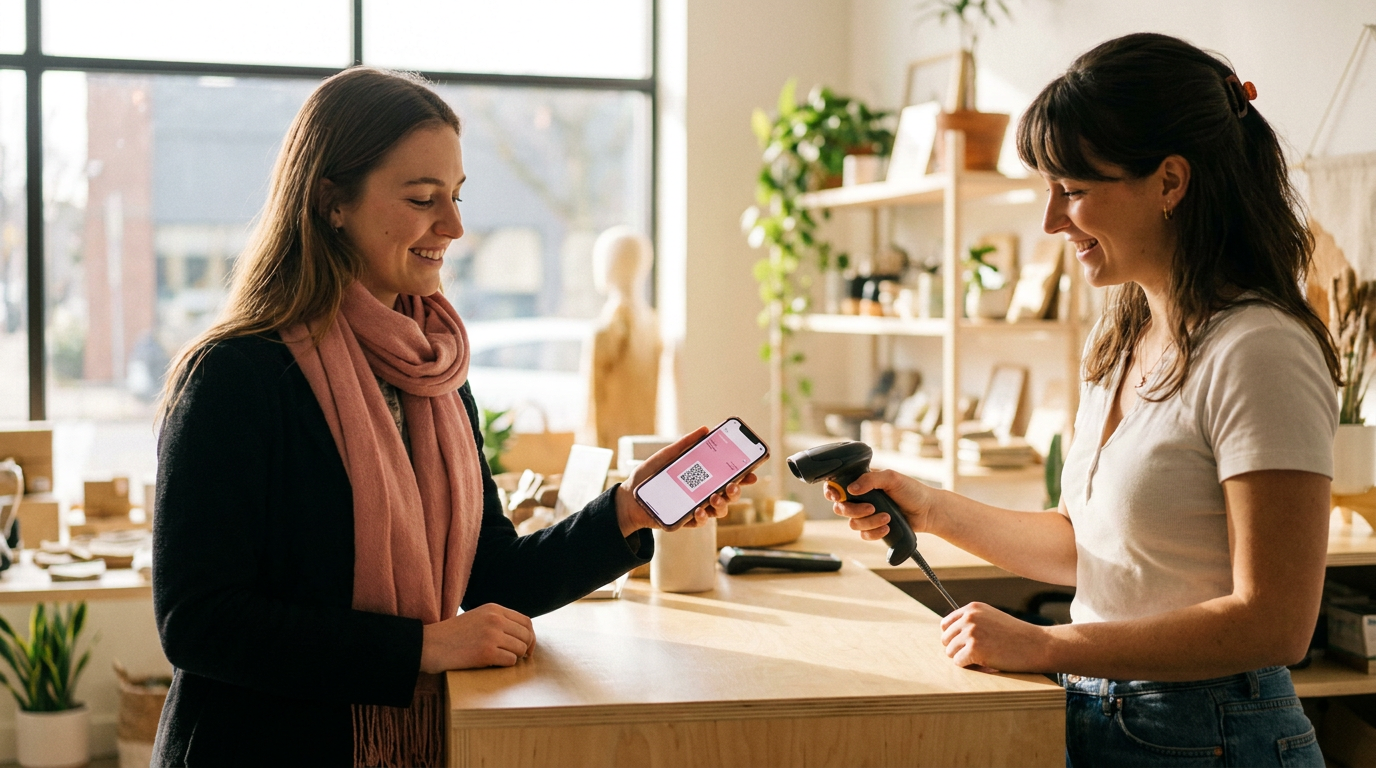
Yes, you can add a Gifty gift card to Apple Wallet and Google Wallet. You scan the QR code or open the link, tap the button for your phone, and the pass shows your balance, the expiry date and a QR code for the till. Gifty updates the balance after every transaction. Here is what that gives your customer and you as a business.
A gift card in your Apple Wallet at a glance
- Adding it: with the QR code or the link of the card, no separate app needed.
- On the pass: business name, balance, expiry date, QR code and a link to the transactions.
- Current balance: Gifty updates the pass after every new or changed transaction.
- For you as a business: you set colours, icon and banner yourself, and customers may ask about their balance less often.
- Good to know: an empty or expired card gets a different status, and what Apple and Google do with the pass after that is up to them.
How do you add a gift card to Apple Wallet or Google Wallet?
Every Gifty gift card has its own Wallet page. You reach it through the QR code on the card or the link in the message that came with it. On an iPhone or iPad the page shows an Add to Apple Wallet button, on an Android phone an Add to Google Wallet button. If the page does not recognise your device, both buttons appear.
- Open the QR code or the link of your gift card on your phone.
- Tap the button for your Wallet.
- Confirm. The pass now sits among your other passes.
- Open the pass in the shop and let the staff scan the QR code.
You do not need to install a separate Gifty app. Everything runs through the Wallet app that is already on your phone. If a paper or plastic card has no QR code with a link, ask the business that gave you the card.
What does the pass show?
The pass shows the name of the business as its brand, in the colours the business chose. You also see:
- the balance, or for a package deal the name of the package deal;
- the date until which the card is valid;
- a QR code with the code of the card underneath;
- a link to the transactions of the card;
- a link to customer service.
Everything is on one screen, so you do not have to look for the card or type the code. The QR code points to the Wallet page of the card. In the shop, staff scan it at the till or with a scanner.
Balance and transactions: how does the pass stay current?
As soon as a transaction is added to the card or changed, Gifty updates the balance on the pass. That holds for Apple Wallet and for Google Wallet, and only for a pass that is already in a Wallet. To see what you spent and when, follow the transactions link: on the back of the pass in Apple Wallet, and as a separate link on the pass in Google Wallet.
Apple also shows a notification, for example Balance changed to € 20.55. That tells you right away what is left after a payment. We do not describe a notification for Google Wallet, because we could not confirm one.
| Item | Apple Wallet | Google Wallet |
|---|---|---|
| Adding | Add to Apple Wallet button on iPhone and iPad | Add to Google Wallet button on Android |
| Balance updates | Automatic after every transaction | Automatic after every transaction |
| Viewing transactions | Link on the back of the pass | Transactions link on the pass |
| Empty or expired card | The pass is made invalid | The pass gets a different status |
Location alerts and expiry date
Apple Wallet can show an alert when you are near a place where you can redeem the card. Gifty attaches up to ten locations to a pass. For Google Wallet we do not describe location alerts. The expiry date is visible on both passes as Valid until, so you know in time when to use the card.
Does the pass disappear when a card is empty or expired?
Not always by itself. When a card is empty or expired it can no longer be redeemed. Gifty then makes an Apple pass invalid and gives a Google pass a different status. Whether the Wallet app removes the pass afterwards is up to Apple and Google. If a pass you had before is missing, first check the balance and expiry date with the balance checker or read how to check a gift card balance.
What does a Wallet pass give you as a business?
- Fewer balance questions: customers see balance, expiry date and transactions on the pass themselves. That may reduce the questions at the till and by phone.
- Your branding with your customer: the pass shows your business name, colours, icon and banner.
- A card that does not get lost: it sits on the phone with the expiry date next to it. That may help cards get used before they expire.
- No extra step for the customer: no separate app and no code to retype.
- Fits digital sales: customers receive the card by e-mail and put it in their Wallet with one tap.
We have no figures on fewer questions or higher redemption. Treat these as possible benefits that you can follow yourself, for example in the number of balance questions you receive.
How to switch on the Wallet pass and set it up
You manage it in the Gifty dashboard under Design and then Wallet:
- Set Wallet features to active. Without this, the Wallet page and adding to a Wallet do not work.
- Choose Set up automatically for me or Set up myself.
- Choose whether the pass shows only your business name, or icon and business name.
- Upload an icon (square, at least 660 by 660 pixels), a banner for Android (recommended 1032 by 812 pixels) and a banner for Apple (recommended 1125 by 432 pixels).
- Pick the background colour, label colour and text colour. On Google, Google chooses the text colour itself.
- Check the result on the tabs Apple, Android and Website.
Since the Google Wallet redesign of August 2026, Google uses its own square banner. If you do not upload a separate Apple banner, Gifty crops one automatically from the Android banner. To style the Apple pass yourself, upload your own Apple banner. How the QR code appears on a printed card is arranged by Gifty for you. Ask your contact if you want it changed.
Does your till scan the QR code properly?
The QR code on the pass holds the link to the Wallet page with the code of the card. Some scanners add characters or cut off the content. Check the scanner settings with the documentation on QR codes. If you use a till integration, also read how the integration with Lightspeed, MplusKASSA, unTill and Bork works.
Frequently asked questions
Yes, if the card has a QR code with a Wallet link on it. You scan it with your phone camera and land on the Wallet page of the card. If there is no QR code with a link, ask the business that gave you the card.
No. You open the Wallet page of your card in your phone browser and tap the button for Apple Wallet or Google Wallet. The pass lands in the Wallet app you already have.
Remove the pass the way you remove any other pass in your phone’s Wallet app. The gift card itself stays valid, only the pass leaves your phone. You can add it again later with the QR code or the link.
Gifty updates the pass after every new or changed transaction, as long as the pass is in your Wallet. If you are unsure, check the card with the balance checker.
It shows the name of the package deal instead of a balance, as long as the amount is hidden and the card has not been used yet.